Quick Answer
Apple Music for Artists helps musicians claim their profile, understand listener data, manage artist images, and track performance across Apple Music and Shazam. Independent artists should claim access early, keep branding consistent, study location and song-level trends, and use the data to plan releases and promotion.
Key Takeaways
- Claiming Apple Music for Artists gives access to profile and performance tools.
- Shazam and location data can reveal where listeners are discovering a song.
- Consistent artist images and metadata make the profile look more trustworthy.
- Apple Music data should support release planning, not replace broader promotion.
Apple Music for Artists Setup Guide 2026: Claim Profile & Grow Streams
Most independent artists focus only on Spotify.
But Apple Music can quietly become one of your strongest growth channels if your artist profile is set up properly.
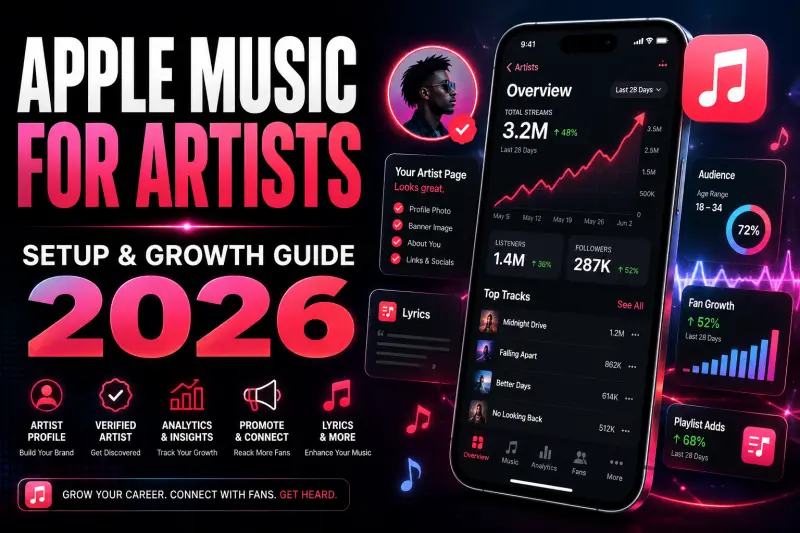
Apple Music for Artists gives musicians access to profile control, performance analytics, Shazam data, promotional assets, lyrics tools, and audience insights. In 2026, this is not something independent artists should ignore. Apple describes Apple Music for Artists as a place to track performance, celebrate milestones, and connect with fans.
If your music is already live on Apple Music but you have never claimed your artist page, you are missing basic control over how fans see your brand.
This guide explains how to set up Apple Music for Artists, what features matter most, and how independent artists can use it to grow streams in 2026.
What Is Apple Music for Artists?
Apple Music for Artists is Apple’s official dashboard for artists, managers, and teams. It helps you claim your artist page, understand audience behavior, customize your profile, add lyrics, create promo assets, and measure how your music is performing across Apple Music and Shazam. Apple’s support page lists tools for claiming artist pages, managing users, updating artist content, adding images, submitting lyrics, creating promotion assets, and understanding analytics.
Think of it as your control room for Apple Music.
It does not replace your music distributor. Your distributor still delivers your music to Apple Music. Apple Music for Artists helps you manage what happens after your music is live.
Why Apple Music for Artists Matters in 2026
In 2026, artists cannot depend only on uploading songs. Every platform needs proper setup, clean branding, strong analytics tracking, and smart promotion.
Apple Music for Artists matters because it helps you answer important questions:
Which songs are getting the most plays?
Which countries and cities are listening?
Are people finding your song through Shazam?
Did your release get added to a playlist?
Which track should you promote next?
Is your artist profile professional enough for new listeners?
Apple Music for Artists also includes Milestones, which highlight achievements like Top Plays, Shazam Count, and Apple Music editorial playlist adds. Apple says new data or updates can take 48 hours to appear, and analytics are shown in Coordinated Universal Time.
That means you should not judge a release too quickly on day one. Give the dashboard time to update before making decisions.
How to Claim Your Apple Music Artist Page
To start, you need to request access to your artist page through Apple Music for Artists.
Apple says artists can sign up, create or use an Apple Account, then request artist access by finding and submitting their Apple Music or iTunes Store artist page link. You can copy the artist page or album link from Apple Music or the iTunes Store using the share option.
Step-by-step setup
- Go to Apple Music for Artists.
- Sign in with your Apple Account.
- Choose Request Artist Access.
- Search for your artist name or paste your Apple Music artist page link.
- Select the correct artist profile.
- Add your role, such as artist, manager, or label representative.
- Submit the request.
- Wait for approval.
Use the same professional email you use for music distribution, label work, or artist management. It can make your access request look more trustworthy.
What to Do After Your Account Is Approved
Once your artist page is approved, do not just check streams and leave. Your first job is to make the profile look professional.
1. Update Your Artist Image
Your artist image is one of the first things fans see. A weak or outdated image can make your profile look inactive.
Apple’s Artist Content section lets artists personalize their page with an artist image and personal artist details. It also gives a unified view of content where the artist is listed as a primary artist.
Use a high-quality image that matches your brand. Avoid random selfies, low-resolution photos, heavy filters, or artwork with too much text.
2. Add Artist Details
Artist details help fans understand who you are. Keep your bio short, clear, and brand-focused.
A good artist profile should answer:
Who are you?
What genre do you make?
What makes your sound different?
What is your latest release?
Why should a new listener care?
Do not write a long life story. Keep it sharp.
3. Check Your Music and Metadata
Go through your songs and albums. Make sure the artist name, release titles, artwork, genre, language, and release dates look correct.
Apple’s Artist Content area lets you view metadata such as release date, artist, genre, language, and available lyrics.
If something is wrong, contact your distributor. Apple Music for Artists may show your data, but distributor-side metadata issues usually need to be fixed through the distributor.
How to Add Lyrics to Apple Music
Lyrics are important because listeners often connect more deeply when they can read or sing along with a song.
Apple Music for Artists allows eligible users to add lyrics directly from Artist Content. Apple says artists can select a song, click Add Lyrics, paste formatted lyrics, and follow Apple’s lyrics formatting requirements.
Before submitting lyrics, check:
Every line is correctly written.
No spelling mistakes.
No random capitalization.
No extra promotional text.
No social media handles.
No credits inside lyrics unless they are part of the song.
Apple’s lyric guidelines also mention that capitalization should follow traditional grammar rules and that lyric lines must begin with a capital letter.
This small detail matters because badly formatted lyrics can make your release look unprofessional.
Use Analytics to Understand Your Real Audience
Most artists only check total streams. That is not enough.
Apple Music for Artists helps you measure songs, albums, playlists, Shazams, radio spins, and listener locations. Apple says Radio Spins are integrated into Apple Music for Artists and monitor more than 40,000 radio stations across over 200 countries and regions.
This is powerful because it shows where your music is actually moving.
Important metrics to watch
Plays: Which songs are getting the most listening activity.
Shazams: Which songs people are discovering in public, on social media, or through speakers.
Countries and cities: Where your strongest audience is located.
Playlist activity: Whether your music is getting playlist traction.
Milestones: Important achievements you can share with fans.
Radio Spins: Where your music may be getting airplay.
If one city is showing strong activity, target that city in your next ad campaign or content strategy.
How to Use Shazam Data for Growth
Shazam data is one of the most valuable parts of Apple Music for Artists.
If people are Shazaming your song, it means they heard it somewhere and wanted to identify it. That is a strong discovery signal.
You can use Shazam data to decide:
Which song has viral potential
Which city is reacting to your music
Which track should get more short-form content
Which release deserves ad budget
Where to push local promotion
For example, if your song has low streams but high Shazam activity in one region, that song may need better social promotion and playlist targeting.
Use Promote Tools for Social Media
Apple Music for Artists includes Promote tools that help artists create custom promotional assets for songs, albums, music videos, pre-adds, and Milestones.
Apple says Admin or Analyst users can use Promote to share new releases, pre-adds, Milestones, and playlist-add moments across social platforms such as Instagram Stories, Facebook, Snapchat, and X/Twitter.
This is useful because many artists waste time designing basic promo posts manually. Apple already gives you clean assets connected to your Apple Music content.
Best ways to use Promote
Share new release assets on release day.
Share Milestones when a song performs well.
Post pre-add assets before an album or EP drops.
Use playlist-add assets as social proof.
Send assets to your manager, designer, or marketing team.
Do not post only once. Use the same release asset in different formats across stories, reels, email, WhatsApp, and fan communities.
Use Linkfire Links for Better Fan Routing
Apple Music for Artists can generate Linkfire links through the Promote section. Apple says these links can promote songs, albums, and music videos during pre-add and post-release windows, and they help send fans to the content you want them to hear.
This matters because not every fan uses the same platform. Some use Apple Music, some use Spotify, some use YouTube Music.
A smart link gives fans options and reduces friction.
Use Linkfire or another smart link for:
Instagram bio
Story links
YouTube descriptions
Email campaigns
Ad campaigns
Influencer posts
Press outreach
The easier you make it to listen, the more likely people are to click.
Use Pre-Adds Before Albums and EPs
If you are releasing an EP or album, Apple Music pre-adds can help you build interest before release day.
Apple explains that pre-adds allow fans to add upcoming music to their library or playlists before it is available. Apple also says pre-adders are notified when the album becomes available so they can stream and share it immediately.
For independent artists, this is useful because release day should not start from zero.
How to promote pre-adds
Announce the project early.
Create a countdown.
Share the pre-add link in every bio.
Pin the pre-add post.
Use short-form videos with the strongest hook.
Ask existing fans to pre-add before release day.
Run small retargeting ads to warm listeners.
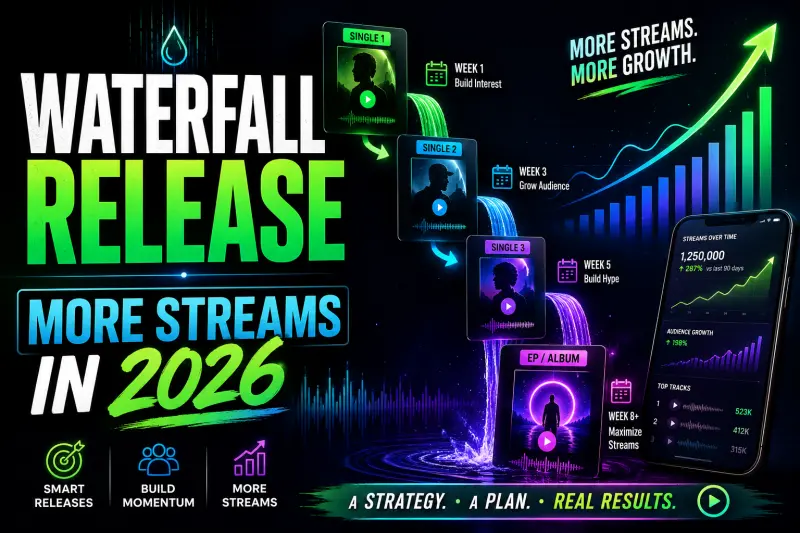
Pre-adds are especially helpful when combined with a waterfall release strategy, where singles build toward a full EP or album.
Add Team Members Carefully
If you work with a manager, label, marketing person, or designer, you can add team members to your Apple Music for Artists account.
Apple says account roles can include access for team members to view analytics, manage artist images, upload lyrics, and share milestones. Apple also lists a Profile Editor role that can upload artist images, add and edit lyrics, and edit artist details.
Only give access to people you trust.
Do not give full admin access to temporary freelancers unless they truly need it. Use the minimum access required for their job.
Apple Music Growth Strategy for Independent Artists
Setting up your account is only step one. Growth comes from using the data.
Here is a simple 2026 growth plan.
1. Fix Your Profile Before Promotion
Before running ads or pushing a song, check your profile.
Your artist image should be clean.
Your latest release should be visible.
Lyrics should be added.
Your artist details should be updated.
Your music should be correctly grouped.
Your smart links should work.
Promotion sends people to your profile. If the profile looks unfinished, you lose trust.
2. Build a Release Campaign Around Every Song
Do not upload a song and disappear.
For every Apple Music release, prepare:
10 short-form videos
1 visualizer
1 lyric clip
1 artist story post
1 pre-save or pre-add campaign
1 smart link
1 email or WhatsApp message
1 post-release Milestone update if available
Apple Music for Artists gives you promotion assets, but you still need a real campaign.
3. Track Cities and Countries
Check where your plays and Shazams are growing.
If your strongest audience is in one city, make content for that audience. Mention the city in captions. Target that location in ads. Reach out to local pages, creators, and playlist curators.
Your data should guide your marketing.
4. Share Milestones as Social Proof
When a song gets a Milestone, do not ignore it.
Milestones can help you create trust with new listeners. If Apple Music shows a strong moment like a playlist add, Shazam growth, or top play achievement, turn it into content.
Use it as:
Instagram Story
Artist update post
Press kit proof
Email newsletter content
Ad creative
Fan community update
People are more likely to check out music when they see momentum.
5. Use Shazam Data to Pick Your Next Focus Track
Sometimes your best marketing song is not the song you personally like most.
If one song is getting more Shazams, that track may have stronger discovery potential. Push that song harder with reels, ads, playlist outreach, and short-form hooks.
Data does not replace taste, but it helps you avoid blind guessing.
Common Mistakes Artists Make on Apple Music for Artists
Mistake 1: Not Claiming the Profile
Many artists distribute music to Apple Music but never claim their artist page. That means they miss analytics, profile customization, lyrics tools, and promotion options.
Mistake 2: Using a Weak Artist Image
Your artist image is part of your brand. A blurry image or random photo can make the profile look inactive.
Mistake 3: Ignoring Shazam Data
Shazam data can show real-world discovery. If people are searching for your song, that is a sign worth studying.
Mistake 4: Not Adding Lyrics
Lyrics make the listening experience better. They also make your profile look more complete.
Mistake 5: Checking Data Too Early
Apple says analytics data refreshes daily and new data releases or updates take 48 hours to display.
Do not panic if numbers look slow right after release.
Apple Music for Artists Checklist
Use this checklist before and after every release:
Claim your artist page.
Update your artist image.
Add artist details.
Check all metadata.
Add lyrics where possible.
Create Promote assets.
Generate a smart link.
Track Shazam data.
Check city and country performance.
Share Milestones.
Compare release performance after 48 hours.
Use the data to plan your next campaign.
Final Verdict
Apple Music for Artists is not just a dashboard for checking streams. It is a profile management, analytics, and promotion tool that independent artists should use seriously in 2026.
If you claim your page, update your profile, add lyrics, track Shazam data, use Promote assets, and study your audience locations, you can make smarter music marketing decisions.
Most artists only upload and wait.
Smart artists set up, track, promote, and improve.
That is how you turn Apple Music from just another streaming platform into a real growth channel.
FAQ
Is Apple Music for Artists free?
Yes, artists can sign up and request access to their artist page through Apple Music for Artists. Apple’s official support explains the artist page claim process through Apple Music for Artists.
How do I claim my Apple Music artist profile?
Sign in to Apple Music for Artists, choose Request Artist Access, search for your artist profile or paste your Apple Music/iTunes artist page link, then submit your access request.
Can I add lyrics through Apple Music for Artists?
Yes. Apple says artists can go to Artist Content, select a song, click Add Lyrics, and submit properly formatted lyrics.
Does Apple Music for Artists show Shazam data?
Yes. Apple Music for Artists includes Shazam-related insights, including Shazam Count in Milestones and analytics.
How long does Apple Music for Artists data take to update?
Apple says data refreshes daily, and new data releases or updates take 48 hours to appear in the dashboard.
Can I promote music from Apple Music for Artists?
Yes. Apple Music for Artists includes Promote tools for custom assets, pre-adds, releases, music videos, and Milestones.
Release Your Music Globally With Last Play Distro
With Last Play Distro, artists can distribute music globally to 150+ platforms, start on a Free tier where they keep 60% royalties, or upgrade to Premium tiers where they can keep up to 95% royalties.
- Global music distribution for independent artists
- Transparent royalties with plan-based royalty splits
- No fake partner, review, rating, or inflated artist-count claims